Stera 2.0: The Capture Stack for Egocentric RGB-D data is now open source
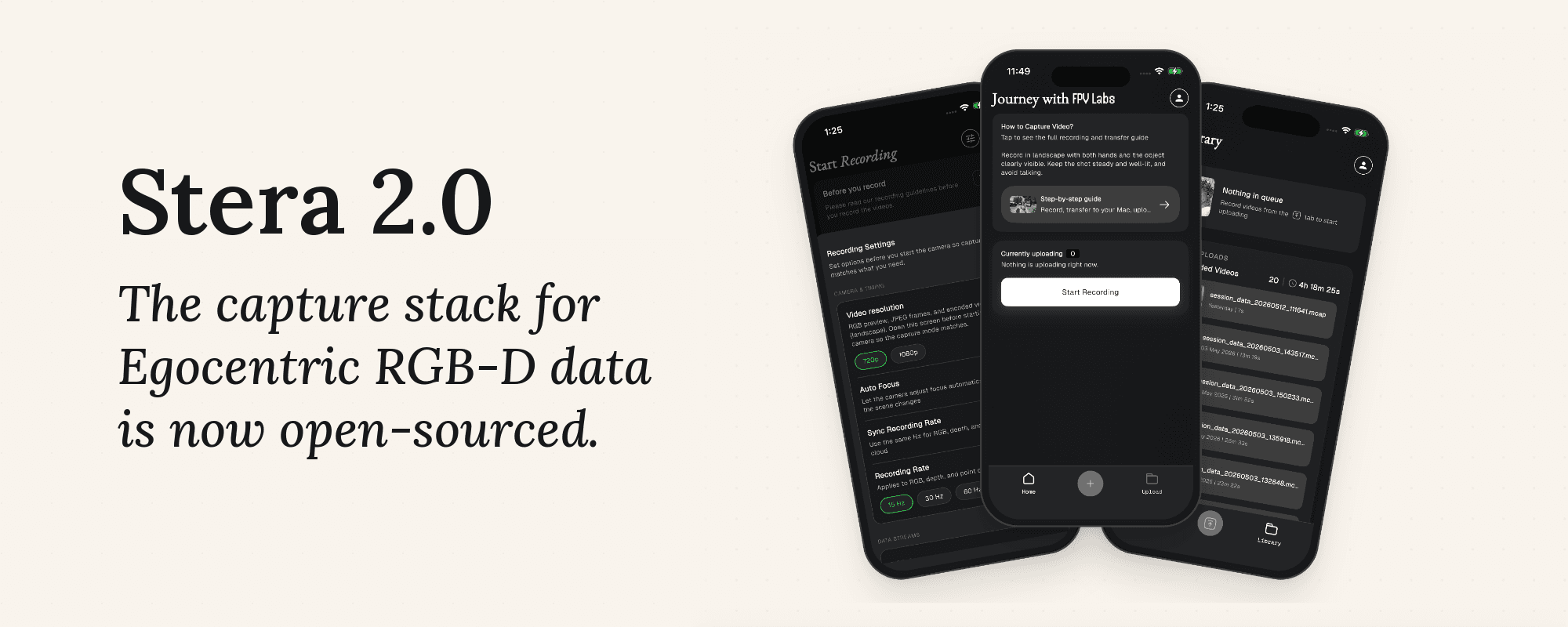
Today, we are open-sourcing Stera 2.0: a capture stack for collecting high-fidelity multimodal RGB-D data from commodity mobile phones. This enables every data lab in the world to now inspect it, extend it, and ship it as a product they own.
When we introduced Project Stera roughly two months back, we described a four-stage workflow for the RGB-D data stack - Capture → Process → Evaluate → Export.
Our first open release included the Stera SDK, which converts raw MCAP recordings into world-anchored 6-DoF trajectories, 21-joint MANO hand poses, hierarchical action language, and scene geometry. Alongside it, we released Stera-10M: 200 hours of long-form egocentric capture, and an academic paper describing the overall system and the dataset.
Stera 2.0 extends the release to the point where data capture begins - the mobile app, its native recording engine, the upload backend, and the tooling required for anyone to build their own capture stack. Together, these components give data operations teams, academic labs, and robotics companies a direct path from a commodity mobile device in everyone’s hands to synchronized, training-ready multimodal data.
The complete RGB-D stack is fully open-source and available at -
Why Open Source
When we launched Stera earlier, our goal was to make high-fidelity embodied data collection accessible to anyone with a phone. Open-sourcing the complete stack takes that goal further: data operations teams can launch their own data labs, academic researchers can build datasets around their experiments, and robotics companies can scale data collection across contributors, tasks, and environments.
Robotics will not be solved by a single dataset collected by a single company across a fixed set of environments. It will require an ecosystem collecting diverse human experience across tasks, geographies, objects, and embodiments at a scale no single organization can reach alone. We believe that lowering technical barriers through releases like ours will enable compounding loops to accelerate progress towards physical intelligence.
What The Stera App Does
Capturing data is as simple as recording a video. Aim your phone’s camera at the activity and hit record - no external capture hardware, tracker, or custom sensor rig required. Behind the scenes, Stera uses ARKit on iOS and ARCore on Android to record every modality into a common MCAP-based format.
The basic recording loop is deliberately small:
- Open Stera and start a recording.
- Move naturally through the scene while performing the activity.
- Stop the recording and review the session.
- Upload it to your backend or move it directly to a workstation for processing.
Voice commands and audio cues let a contributor start and stop without returning to the screen. This matters because their hands are usually occupied by the activity being recorded.
Each completed session produces a self-contained recording with an MCAP file and its metadata. A typical session directory looks like this:
session_20260728_141032/
 ├── session_data_20260728_141032.mcap
 ├── metadata.json
 └── thumbnail.jpg
The app also includes session review and a resumable multipart uploader, so interrupted network transfers do not require a capture to be uploaded again from the beginning.
What Gets Captured
Stera aligns multiple asynchronous sensor streams onto one timeline:
- RGB video
- 6-DoF camera pose
- IMU, including accelerometer and gyroscope measurements
- Depth and point cloud, where supported by the device
- Scene mesh on LiDAR-equipped iOS devices
MCAP is central to this design. A shared timeline across different modalities makes the output easier to inspect, replay, and process without having to rebuild downstream synchronization.
Recordings use ROS 2 message schemas inside MCAP and can be inspected directly with tools such as Foxglove or Rerun.
Capture settings
The highest setting is not automatically the best setting.
| Setting | Available options | Default |
|---|---|---|
| RGB resolution | 720p / 1080p / 4K on supported iOS devices | 1080p |
| RGB, depth, and point-cloud sampling | 15 / 30 / 60 Hz at 720p and 1080p; 5 / 10 / 15 / 30 Hz at 4K | 30 Hz |
| IMU sampling | 50 / 100 Hz | 100 Hz |
| AR session frame rate | 30 / 60 fps, subject to resolution and device support | 30 fps |
| Focus and exposure | Automatic or locked | Automatic |
| Voice commands and audio cues | On / off | On |
These settings give labs flexibility in how they collect data and in tuning collection configurations according to trade-offs suited to the data and task variation.
Recorder As A Standalone Package
The stera_recorder package is the main sensor layer behind the app. It is a Flutter plugin with native Swift and ARKit code on iOS and Kotlin and ARCore code on Android. The rest of the product interacts with it through a small Dart API and treats the recorder as a black box that emits synchronized data.
The recorder handles:
- multi-rate frame scheduling
- asynchronous sensor alignment
- pose and tracking-state capture
- IMU batching
- depth and point-cloud generation
- non-blocking MCAP writes
- recording health, battery, storage, and thermal safeguards
Because the recorder is separated from Stera’s product UI, it can also be embedded in another Flutter app or run through the included minimal example application. A team that only needs the synchronized sensor stream does not need to adopt the rest of Stera.
Clone the capture stack in a single command
The goal with this release is to allow every data lab to own their own branded capture stack. The repository includes a deterministic white-label system.
Clone the repository, connect your backend, and you have a production-ready foundation for multimodal RGB-D data collection. The repository includes:
- the Flutter mobile application
- native iOS (ARKit) and Android (ARCore) recording engines
- authentication and resumable upload backend
- a standalone recorder package
- white-label tooling for creating a fully branded deployment
To make customization straightforward, the repository includes a deterministic white-label system.
Run /whitelabel with a compatible coding agent. It asks for your name, bundle identifier, accent color, and logo, prints a dry-run plan, then rewrites the entire product - app copy, icons, native identifiers, deep links, package namespaces, API hosts, and storage names. The final result is a clean fork that looks like it was built for your lab from day one, with upstream license and attribution intact.
The result is a clean fork that looks as if it were built specifically for your organization, while preserving upstream licensing and attribution.
What You Can Build
Opening the capture layer makes several workflows possible without rebuilding a mobile sensing stack:
- Research-specific recorders: add task prompts, event markers, new sensor channels, or study-specific metadata.
- Distributed collection programs: ship a branded app to contributors and connect it to your own authentication, storage, and review workflow.
- On-device quality control: surface tracking, storage, battery, or sensor failures while a session can still be repeated.
- New capture interfaces: build hands-free, mounted, assisted, or headless workflows on the same recorder.
- End-to-end data systems: connect capture to the open Stera SDK for processing, evaluation, and export into training-ready episodes.
Limitations
- Platform dependency: the capture pipeline currently requires an iPhone Pro, as Stera relies on ARKit’s visual-inertial odometry and LiDAR depth sensing. Android/ARCore offers lower VIO accuracy and lacks LiDAR depth; supporting depth-free fallback modes would meaningfully broaden contributor reach.
- Additionally, the ultrawide lens is inaccessible during active ARKit sessions, limiting field of view for wide-workspace activities.
- Continuous recording for more than a few hours can trigger thermal throttling on iPhone Pro hardware; a heat sink attachment mitigates this but adds deployment friction in warm environments.
We hope Stera 2.0 enables many more robotics labs, researchers, and data teams to build on a common open foundation rather than repeatedly rebuilding the same infrastructure.
Resources
For more details, reach us at [email protected]
Follow us on X at @fpv_labs